
Instructor dashboard
123 Ecos is a sustainability-focused platform that combines a collaborative encyclopedia, courses on the topic and a file repository.
Problem:
The 123Ecos team came to us because they wanted an educational platform where their volunteer contributors could create and manage any courses they liked, all on their own. LearnDash is great for ease of use, but it has no system outside the WordPress admin panel, which can leave the site vulnerable to errors.
Solution:
We built several systems so users could do all of this without involving administrators: an instructor dashboard to manage everything, a user role called Instructor, and more.
Technologies used:
- LearnDash
- ACF
- Loops & Logic
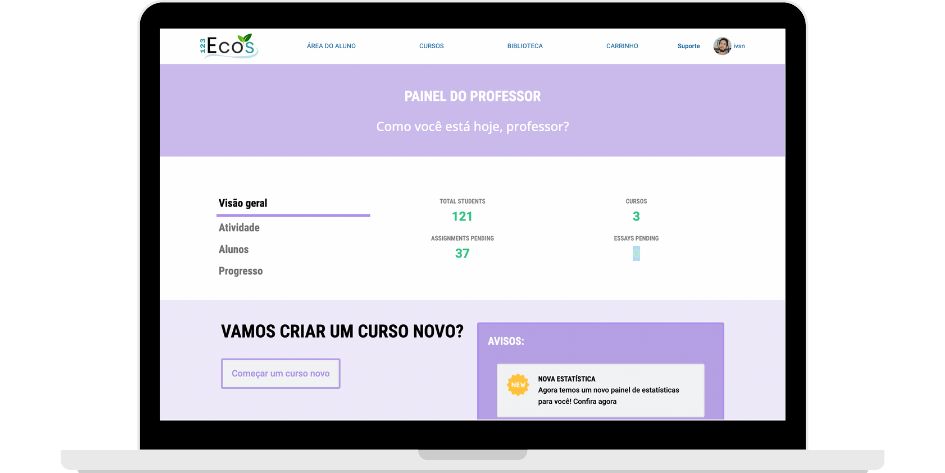
Instructor dashboard: the central area.
We created a new page that only instructors can access, called the Instructor Dashboard. There, instructors can see statistics about their own courses, such as the number of students, tests taken, student activity and more.
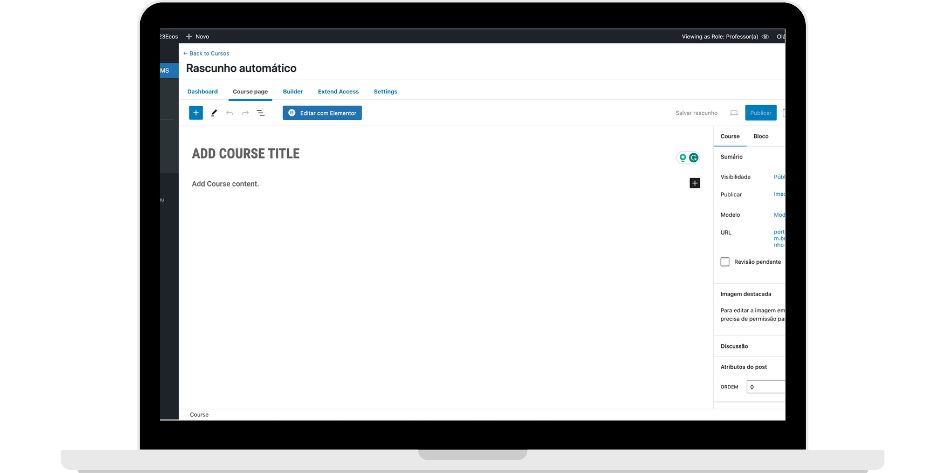 To create courses, we had to keep access to the WordPress admin panel, but we limited what instructors can see. As a result, they only see the course creation area.
We chose this mixed approach because creating courses involves a lot of complexity (layout, content, media and more), and building all of it on the front end would have weighed the site down too much.
This project is the kind of solution I build today at EduBuilders, combining a pedagogical foundation with software.